The Admin Page
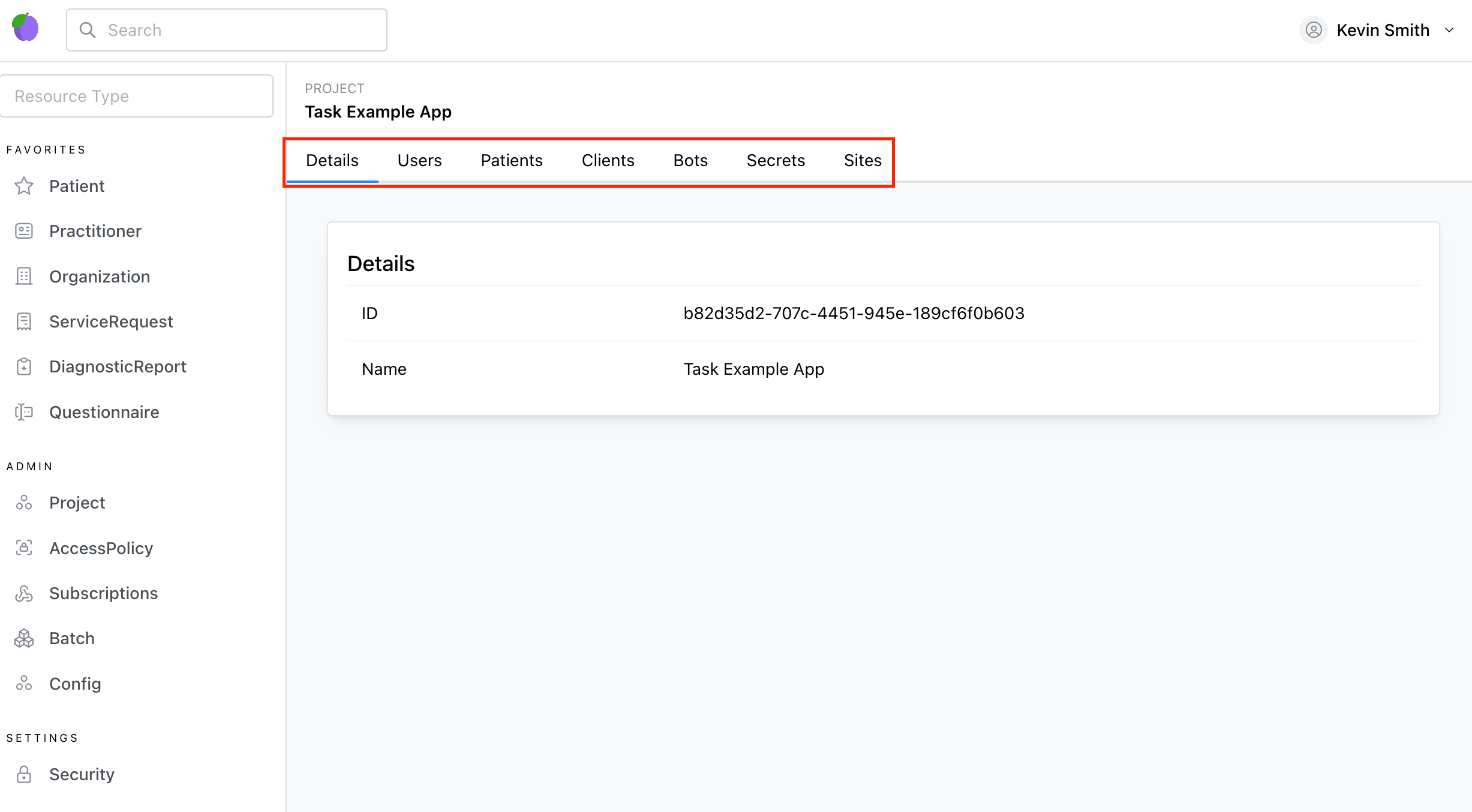
The Admin Page is where project-level configuration lives.
For developers and project admins, this is the main place to:
- inspect the current
Project - manage project users, bots, and clients
- set non-secret country-pack configuration
- store project secrets
- confirm country-pack readiness
How to use this page correctly
Treat the admin area as a staged workflow, not as a flat collection of tabs.
Use the tabs in this order:
DetailsSettingsSecretsCountry Pack- resource pages such as
Organization,Practitioner,Coverage, andClaim
Only use Super Admin when the project runs in Afiax-managed mode.
Details
Shows the current Project values, including the selected country pack.
Use this tab to confirm:
- the current project id
- the active country pack
- whether the project is the one you intended to configure
Users
Shows project users and invite flows. See the User Management Guide for the underlying resource model.
Clients
Shows project ClientApplication resources and creation flows.
Bots
Shows project Bot resources and creation flows.
This is where you create the bots later referenced by country-pack settings such as Kenya claim submit or claim status workflow bots.
Settings
Use Settings for non-secret project configuration.
Current country-pack-related fields are generic:
Country Pack- environment selection when a pack uses more than one endpoint family
- agent or routing identifiers when a pack requires them
- credential ownership mode when a pack supports tenant-managed or Afiax-managed access
- optional workflow bot ids
For Kenya, that currently means separate non-secret settings for:
- HIE environment and HIE credential mode
- SHA claims environment and SHA claims credential mode
- Kenya HIE agent id
- optional Kenya claim submit workflow bot id
- optional Kenya claim status workflow bot id
The advanced editor remains available for additional Project.setting values, but the curated Kenya fields are the
default path and should be used first.
Recommended Kenya settings sequence
- set
Country Pack = Kenya - set Kenya HIE environment
- set Kenya SHA claims environment
- set HIE credential mode
- set SHA claims credential mode
- set Kenya HIE agent id if that workflow is in scope
- optionally set Kenya claim submit bot id
- optionally set Kenya claim status bot id
- save before moving to
SecretsorCountry Pack
Settings ownership rule
Use Settings for:
- environment choice
- credential ownership mode
- routing or agent ids
- workflow bot ids
Do not use Settings for:
- API usernames
- passwords
- access keys
- secret keys
Country Pack
This is the setup checklist page for country-specific workflows.
It shows:
- selected pack
- pack-specific non-secret config state
- credential ownership state
- secret completeness when relevant
- next actions for setup
For active packs, it can also expose guided onboarding flows. The current Kenya implementation includes a setup wizard that:
- accepts the primary Kenya facility code / MFL code
- looks up the facility against DHA HIE
- shows the raw DHA lookup payload for troubleshooting
- creates or updates the first
Organizationfrom registry data when DHA returns a match
Recommended Kenya onboarding sequence
- confirm the project is already on
Kenya - enter the primary facility code / MFL code
- run DHA facility lookup
- inspect the raw DHA payload if the lookup result is unexpected
- create the first
Organizationor apply the registry data to an existing one - move to the
Organizationpage for audited verification
What this page is for
Use Country Pack for onboarding.
Do not treat it as the long-term operational workflow surface. After onboarding:
Organizationpages own facility verificationPractitionerpages own practitioner verificationCoveragepages own eligibilityClaimpages own claim submit and claim status
Secrets
Use Secrets for project-scoped credentials and other sensitive values. See Project Secrets docs.
When a country pack supports curated credential forms, this page can expose pack-specific secret fields and connection validation actions.
Current ownership split:
Settingsowns non-secret country-pack configSecretsowns tenant-managed credentials for the pack's connector familiesSuper Adminowns Afiax-managed credentials inProject.systemSecret
The current Kenya implementation exposes:
- tenant-managed HIE credentials
- tenant-managed SHA claim credentials
- HIE connection testing
- status visibility when the project is Afiax-managed
Recommended Kenya secret setup sequence
- confirm whether the project is tenant-managed or Afiax-managed
- if tenant-managed, enter HIE credentials first
- run
Test HIE Connection - enter SHA claim credentials
- save
- move to the resource pages only after HIE auth succeeds
If the project is Afiax-managed, this page should show status rather than accept the platform-managed credentials.
Secret ownership rule
Use Secrets for tenant-managed:
- HIE consumer key
- HIE username
- HIE password
- SHA access key
- SHA secret key
- SHA callback URL
Do not put Afiax-managed project credentials here. Those belong in Super Admin.
Super Admin
Use Super Admin only when credentials are platform-managed by Afiax.
The current Kenya implementation uses it to manage:
- Afiax-managed HIE credentials in
Project.systemSecret - Afiax-managed SHA credentials in
Project.systemSecret
This is also the correct place to manage platform-level ownership of Kenya connector access across projects.
Resource pages after admin setup
Once the project is configured, move out of the admin tabs and onto the actual workflow pages:
Organizationpage- save Kenya facility code
- run DHA facility lookup
- run audited facility verification
Practitionerpage- save Kenya identification
- run DHA practitioner lookup
- run audited practitioner verification
Coveragepage- save DHA eligibility lookup identity
- run coverage eligibility
Claimpage- build and submit Kenya SHA claim bundle
- check latest Kenya SHA claim status
- inspect raw SHA response and workflow evidence
This separation is deliberate:
- admin pages configure the project
- resource pages execute the workflow
Sites
Manages custom domains for the project.